
Features
Every job, from first photo to signed off
Reporting, tasks, scheduling and communication in one app - connecting the person who spots a problem with the person who fixes it. Here's what's inside.
The job lifecycle
Clear from start to finish, for both sides
Every job moves through the same simple steps, so the person who reported it and the person fixing it always know who's up next.
- 1Reporter
Reported
Someone spots a problem and logs a clean, fix or replace job with photos and notes.
- 2Fixer
Received
The person responsible accepts the job, or declines it with a reason.
- 3Fixer
In progress
Work begins. It can be put on hold and resumed when needed.
- 4Fixer
Completed
The job is marked complete.
- 5Reporter
Signed off
The reporter acknowledges the work, or requests rework.
Reporter actionFixer actionRework sends a job back to in progress.
Scheduling
A calendar that shows when work can happen
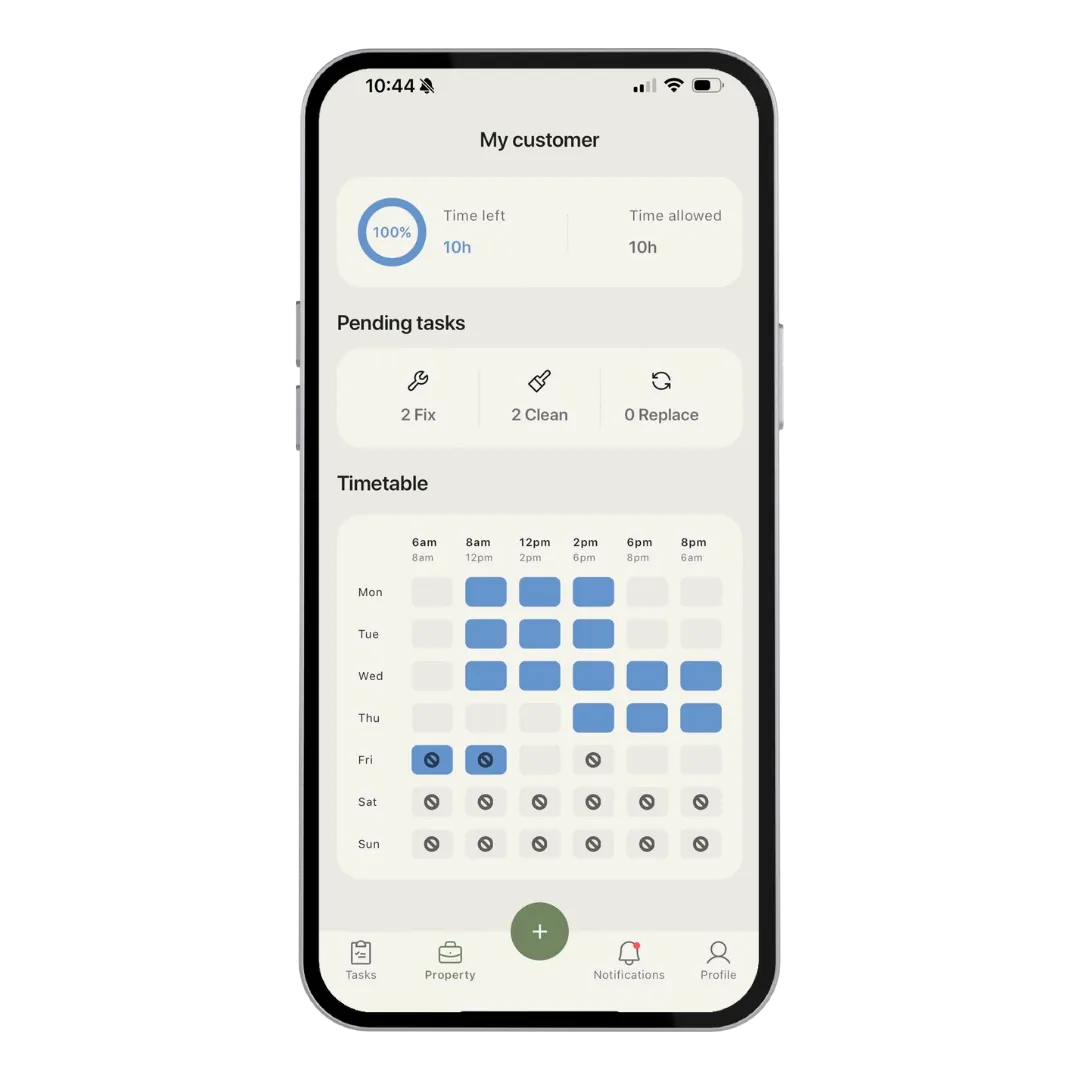
The people fixing things mark when they're available across every day of the week, so everyone knows when jobs can be booked.
- Weekly availability
- Set available or unavailable for each day, Monday to Sunday.
- Time slots that match a trade day
- From early starts at 6am through to evenings, in simple blocks.
- Pending work at a glance
- See how many fix, clean and replace jobs are waiting for each client or location.
Tasks
Clean, fix or replace. Logged in seconds.
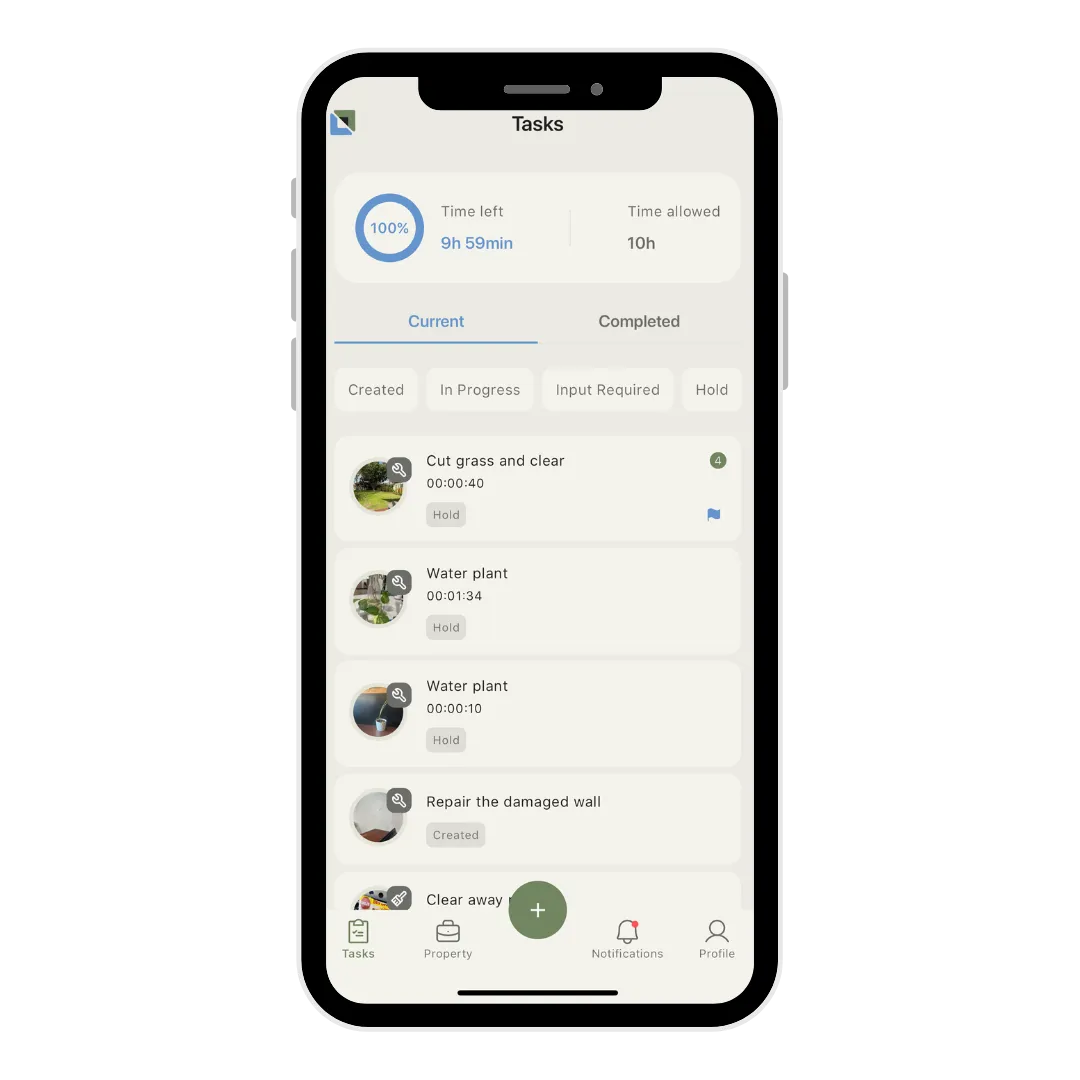
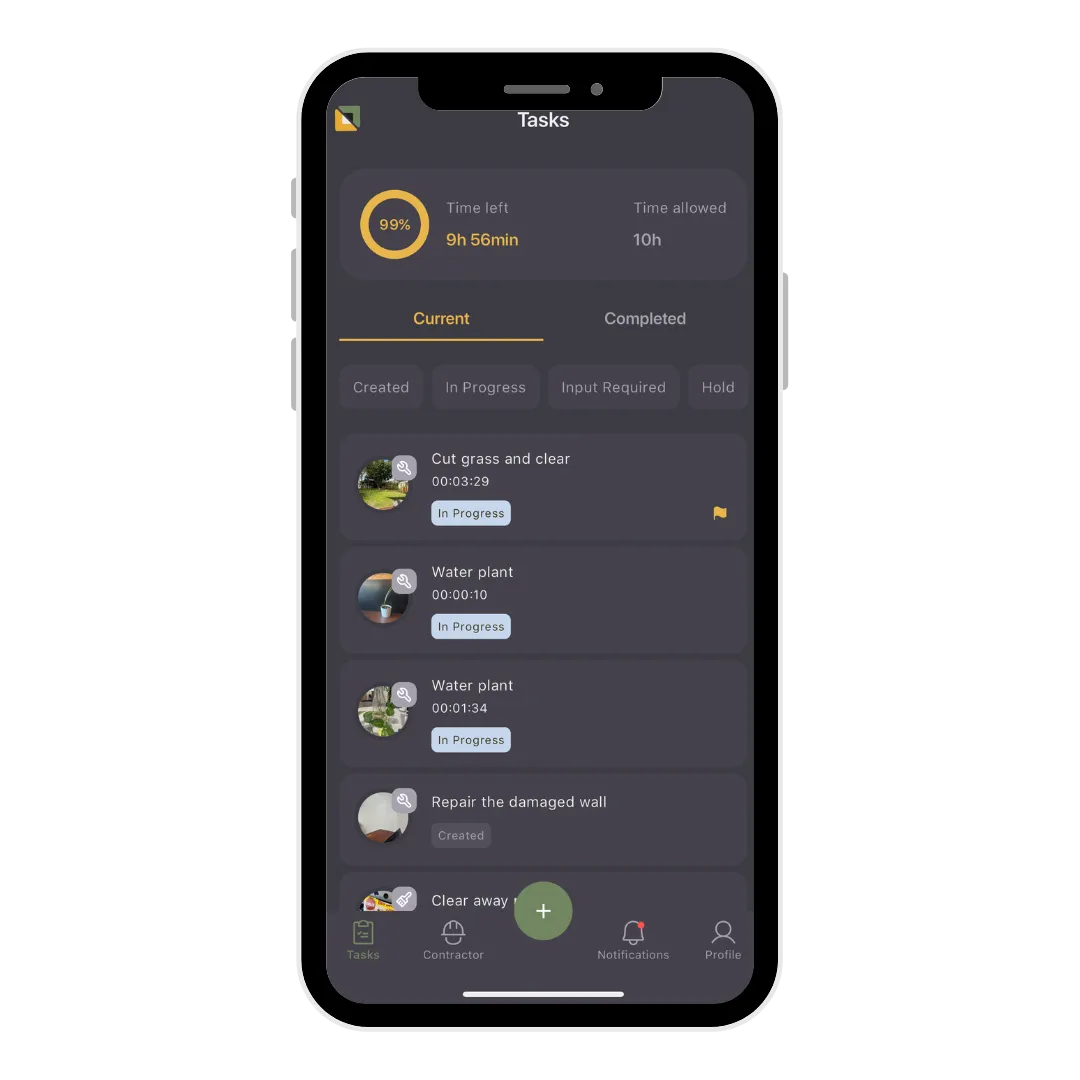
Every job is a task with a type, photos and notes, so everyone is looking at the same picture of what needs doing.
- Photos and notes
- Attach photos and notes so the job is clear before anyone arrives.
- Filter by status
- Switch between current and completed work, and filter by where each job is up to.
- Pin what matters
- Pin urgent jobs so they stay at the top of the list.
- Materials used
- Record materials against a job, with price and receipt.
Clients & locations
Every client and location, organised
Set up each client once and keep their locations, team and history together in one place.
- Key dates
- Track start and agreement dates, plus an optional renewal date.
- Assign your team
- Assign people from your team to each client or location.
- Switch clients easily
- Move between client profiles with all their information in one place.
Properties
Built for any location, on land or sea
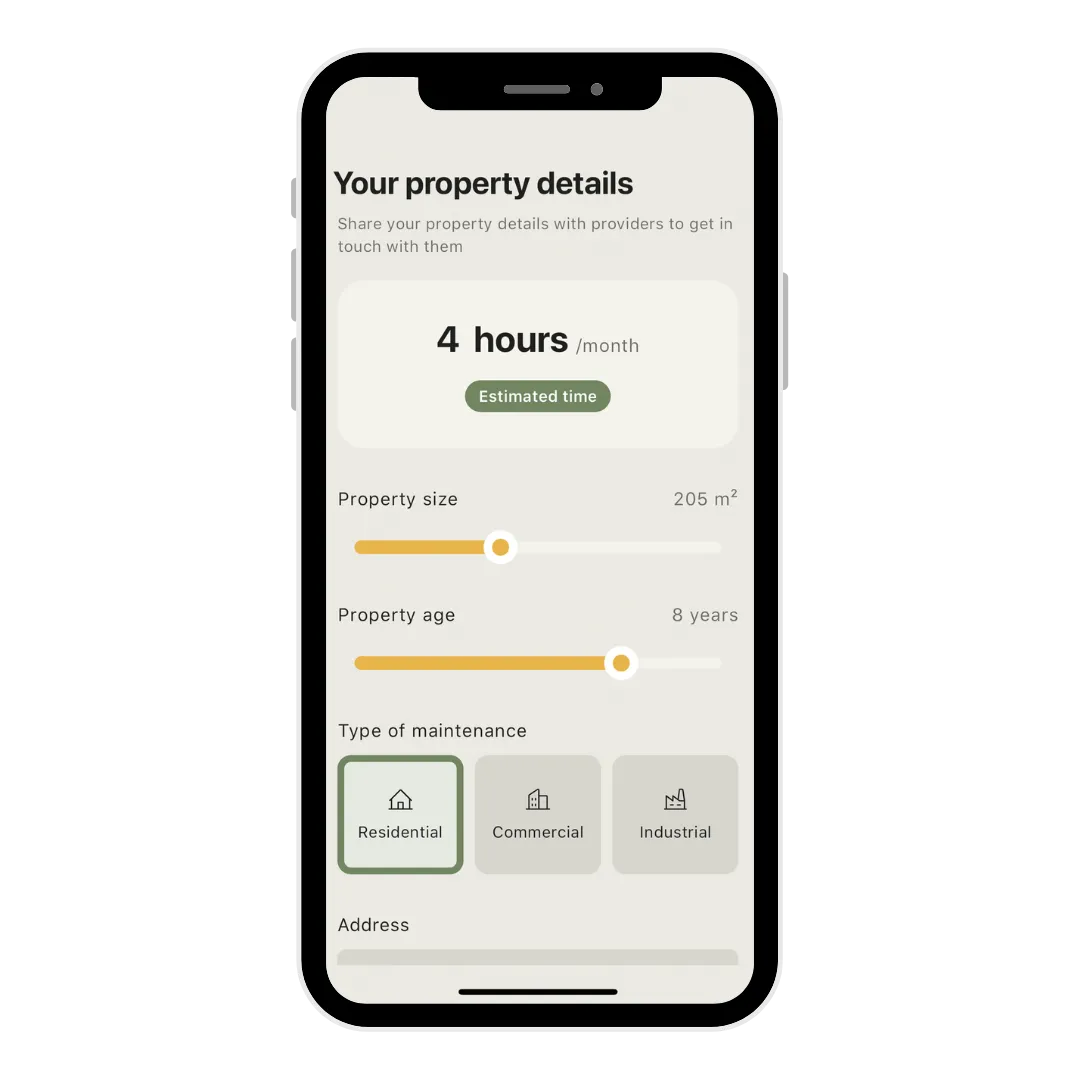
Describe a property or site once, so the people maintaining it start with the right context.
- Residential, commercial or industrial
- Pick the type of maintenance your property needs.
- Size and age
- Share size and age with whoever maintains it.
- A running logbook
- Every completed task builds the maintenance history of the location.
Communication
Conversations that stay with the job
No more hunting through texts and calls. Messages and updates live on the task they're about.
- Comments on every task
- Discuss a job right where the photos and details are.
- Unread counts
- See unread comments on each task and client at a glance.
- Notifications
- Get notified as jobs are created, accepted, completed and more.
How-to series
Learn it in under four minutes
Four short videos take you from download to your first task.


FAQs
Feature questions
What types of tasks can I create?
Tasks are clean, fix or replace, each with a title, photos and notes. That covers everything from gutter cleaning to tap replacements.
What happens after a job is completed?
The person who reported it reviews it and either acknowledges the work or requests rework, which sends it back in progress. Nothing is closed until both sides agree.
Can the person receiving a job decline it?
Yes. They can decline a job, and they're asked for a reason so the person who reported it knows why.
Can I use it for facilities, schools and boats as well as properties?
Yes. Any site or asset can be set up as a location. Marine businesses use the calendar to allocate days to different marinas, and photo-based tasks work just as well onboard.
Free for your first month
See every feature free for a month.
Download The Maintain App and enjoy your first month free.